
Note
Your portal administrator has the capability to customize this Learning Assistant tool to better represent your organization and its branding and language. You may see different names, labels, and icons, but the general usage of the tool remains as described here.
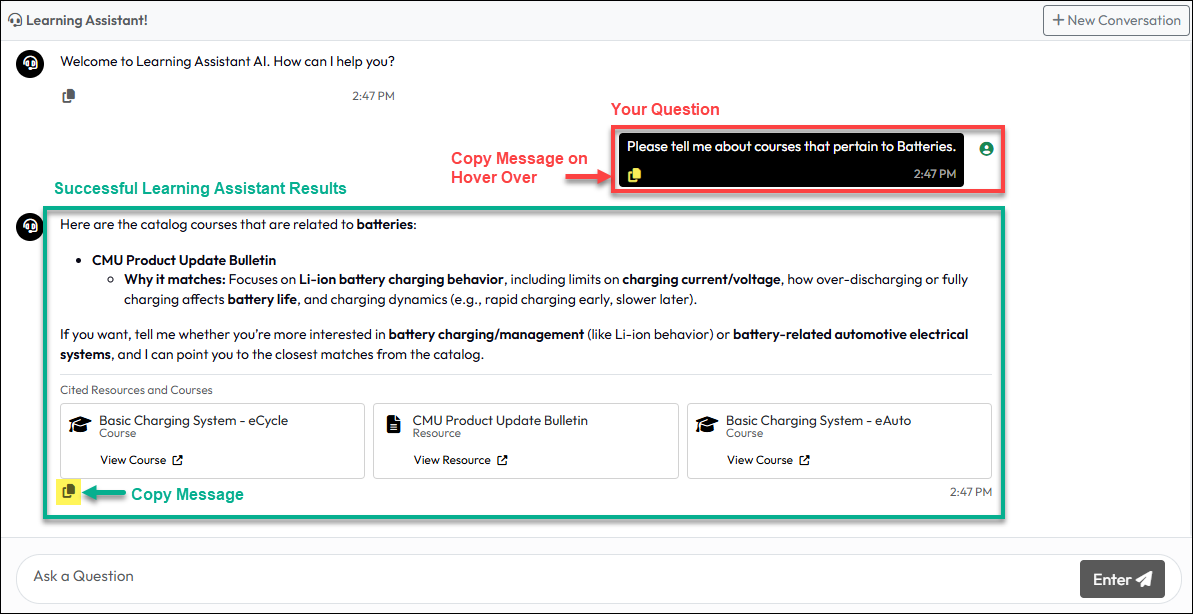
The Learning Assistant is an AI-driven chatbot that let’s you ask questions about learning content in your training portal to the extent that it was included for review by your portal administrator. The content it will review is only tied to resources and courses within your organization’s training portal and only those specifically included by your training team.
The Learning Assistant will not look for content outside of the training portal nor will it find information that wasn’t included in “training” the AI chatbot.
If you ask questions and don’t get an answer, it could be that the content was not included in the Learning Assistant knowledge base. It could also be that you used a word or abbreviation that was not part of the content.
If you don’t get the expected content, try synonyms of the words you used or try common abbreviations to see if it helps find content.
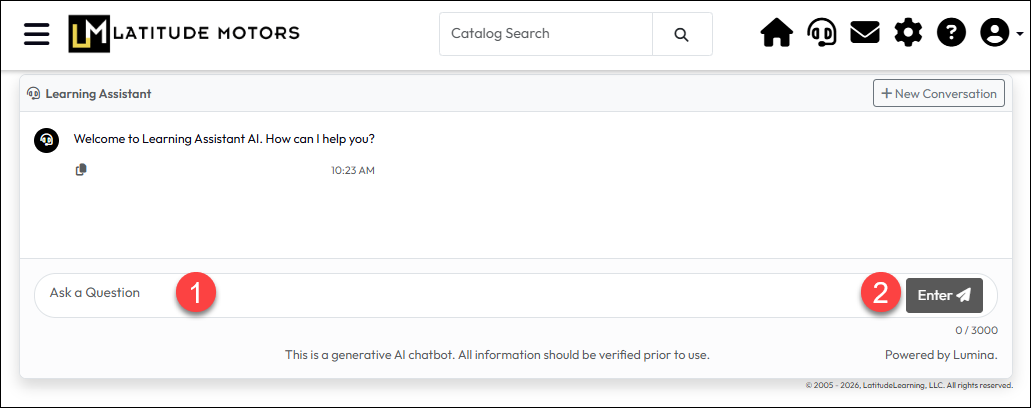
To ask a question about something in your portal’s courses or resources:
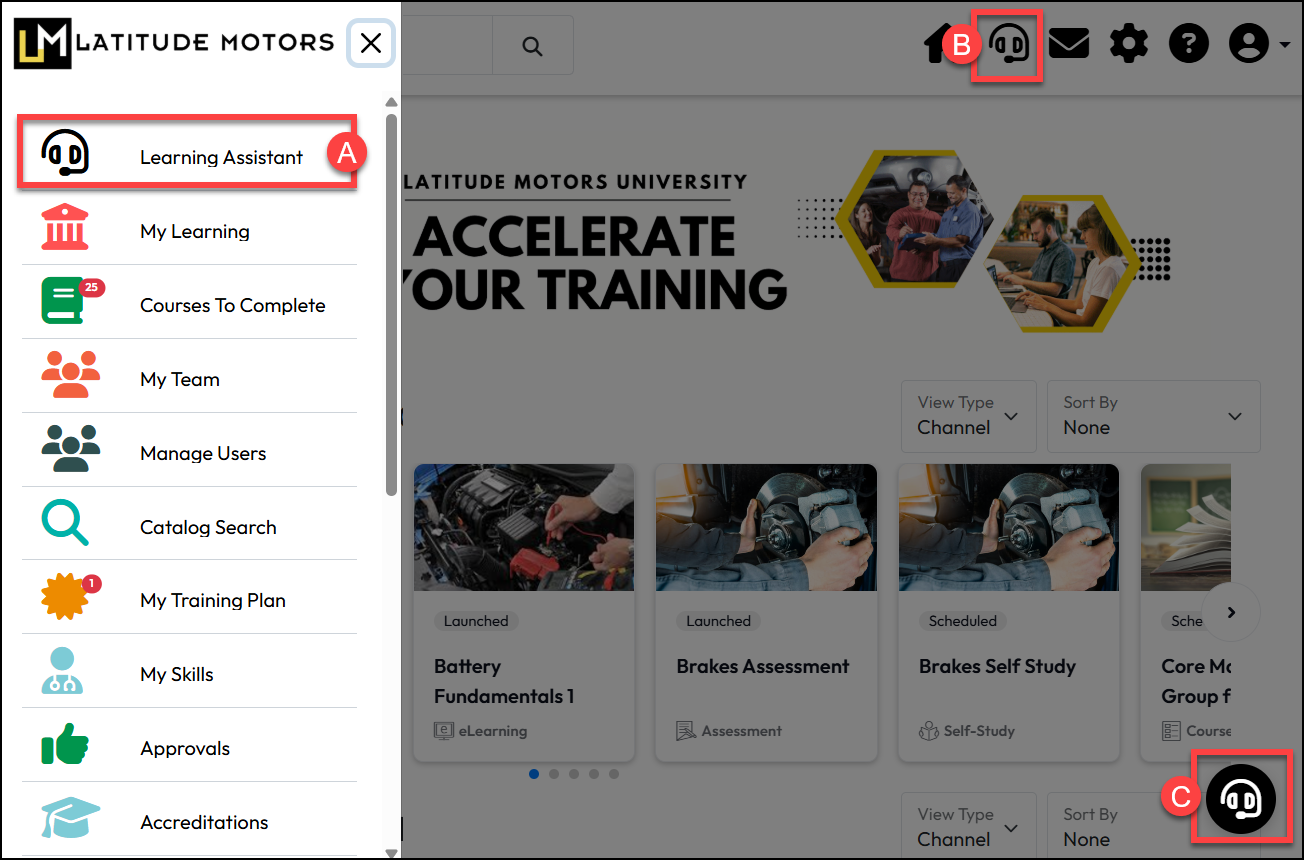
If your organization provides access the Learning Assistant, your portal administrator may have used one or more of these options, identified in the image below:
Sometimes the content will not be there regardless of any variations you attempt. Contact your organization’s training portal administrator if you have questions.