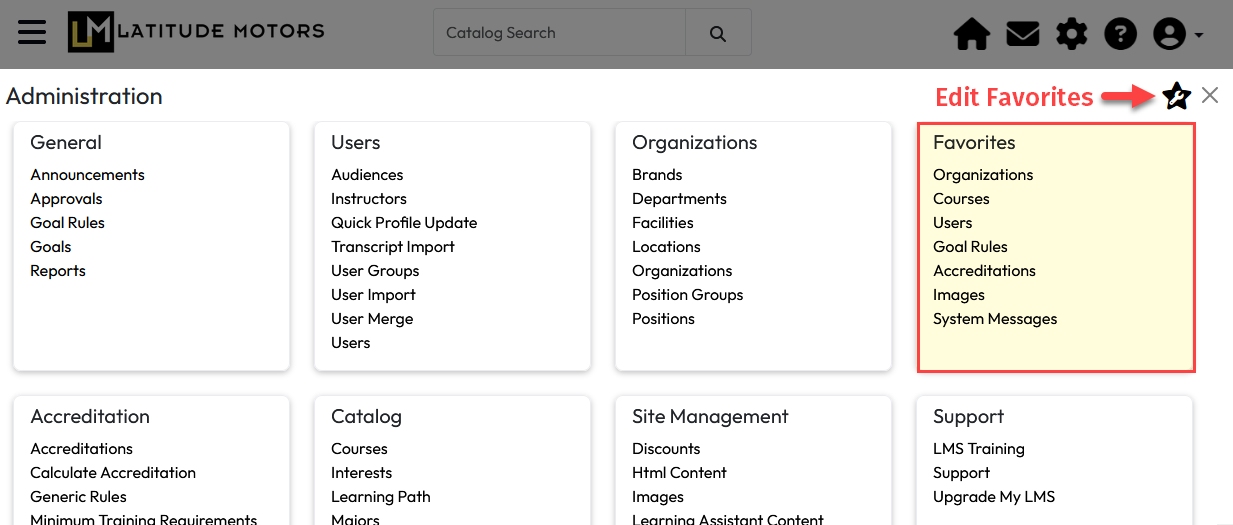
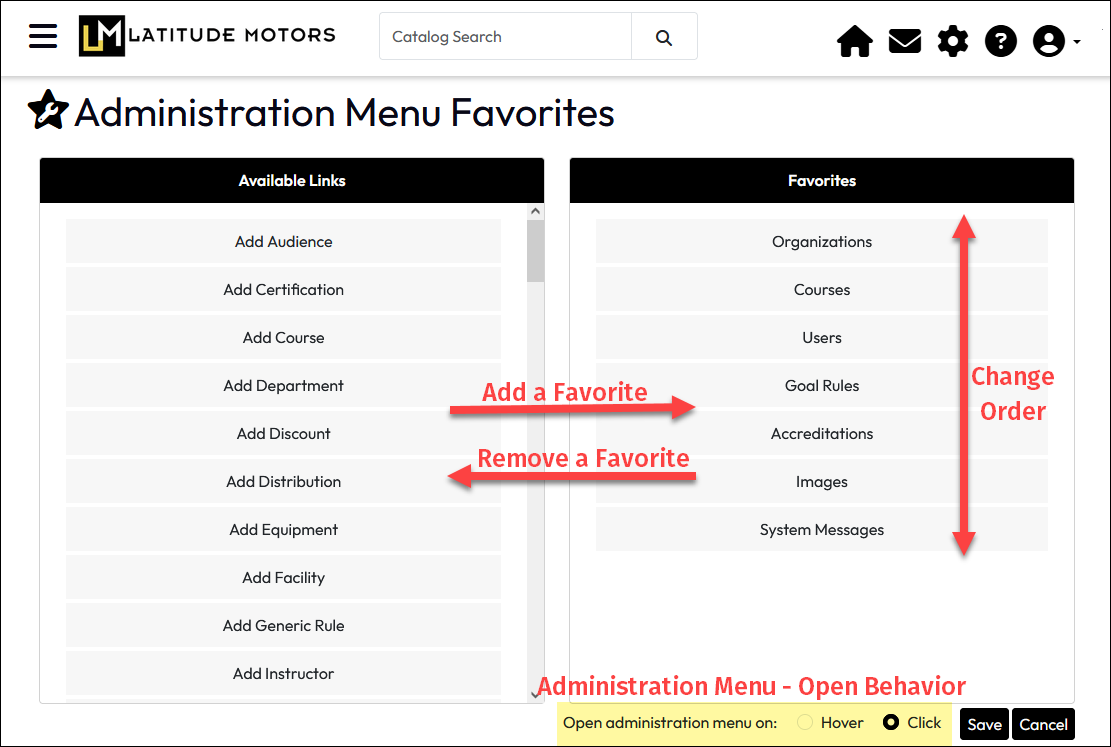
The Administration page has a Favorite Tools section that allows portal administrators and others with access to administrative features to build an ordered list of LMS pages they use most. Using simple drag-and-drop, administrators can create a personalized navigation section on the Administration page that is accessible any time from the gear icon in the header.
After configuration, your Favorite tools will be displayed on the Administration page in the upper right section. This page also has a setting which allow people with access to the Administration page set how they prefer to open that page – by clicking the gear icon or by simply hovering over it.
Access to each LMS feature is determined by a user’s highest Role assignment, so users will only be provided Favorite Tool options already visible to them in the main Administration page.
To set up Favorite Tools: